
Mailchimp NPS Survey: How to Set One Up in 10 Minutes
If you're already running campaigns in Mailchimp, you don't need a separate survey tool bolted onto a separate workflow. You need one link, dropped into an automation you've already built, that fires at the right moment instead of the convenient one. Here's the setup, and the one mistake that makes most Mailchimp NPS surveys useless before they send.
Why Mailchimp users end up here
Mailchimp is built for campaigns and automations, not feedback. It has no native NPS scoring, no detractor routing, and no way to turn a response into a plain-English summary. Teams either skip NPS entirely or bolt on a generic form tool that lives outside the automation and gets ignored.
The fix isn't a bigger tool. It's a survey link inside the automation you already run, with the scoring and analysis happening somewhere built for it.
Setup: 10 minutes, no developer
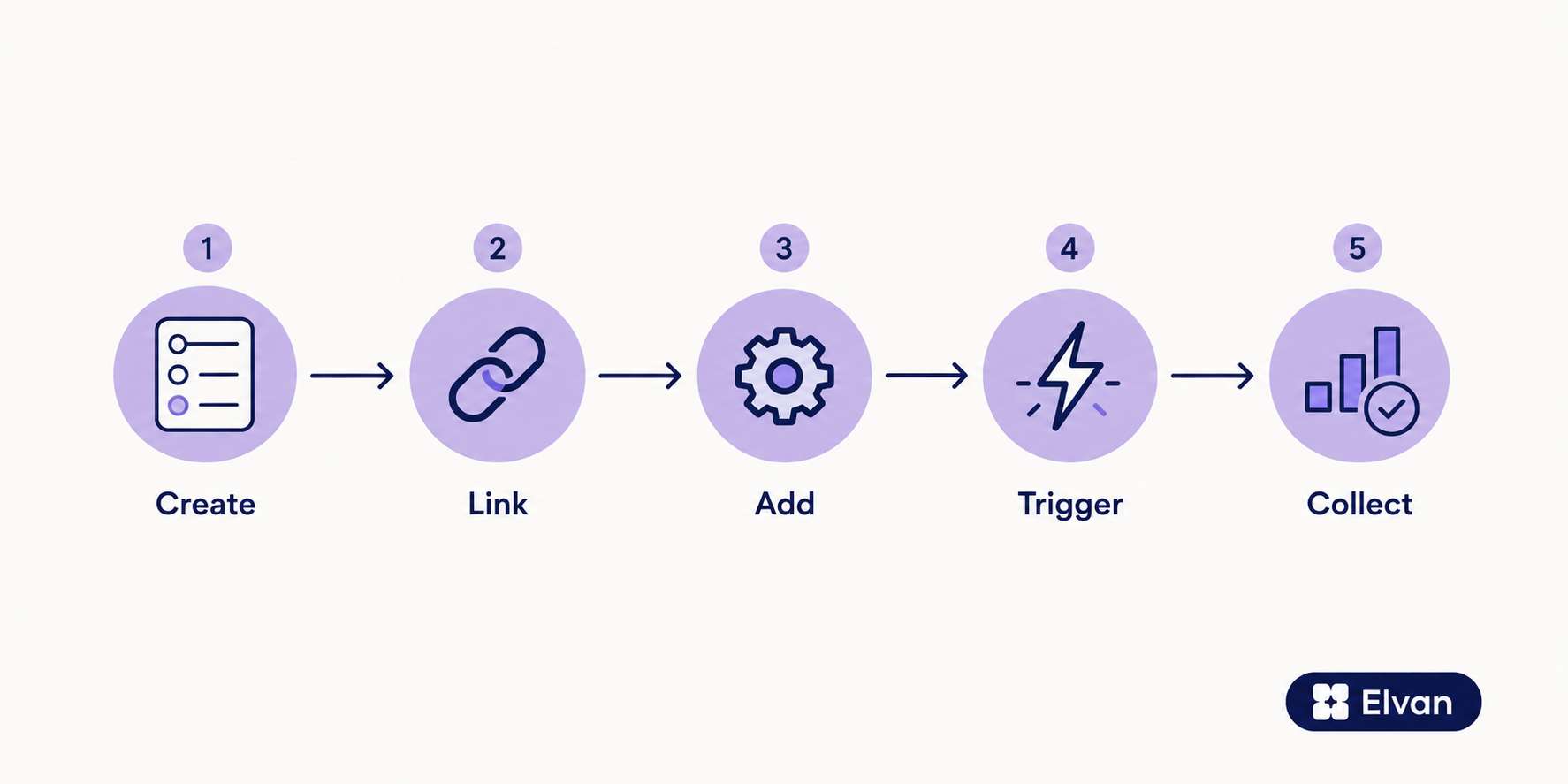
- Create your NPS survey in Elvan. Pick the NPS template, or start from CSAT if that's the metric you're tracking. Elvan generates a unique response link per contact.
- Grab the merge-tag link. Elvan's Web Link distribution channel gives you a URL you can drop straight into a Mailchimp email block as a button or text link.
- Add it to an existing automation, not a new campaign. Post-purchase sequence, onboarding series, renewal reminder, whichever automation already exists for the moment you want feedback on.
- Set the trigger inside Mailchimp, using the automation's existing trigger (an order placed, a tag applied, a date after signup) rather than building a new one.
- Watch responses land in Elvan, scored automatically, with AI Insights summarizing the open-ended comments in plain English instead of you reading through a spreadsheet of free text.
That's the whole setup. No API keys, no webhook configuration, no developer ticket. The work is deciding which automation the link belongs in, which matters more than the technical step.
The mistake almost everyone makes: timing
Here's the part most "how to add an NPS survey" guides skip entirely, and it's the actual reason so many Mailchimp NPS programs produce a flat, unreadable score that never moves.
Batch and calendar-scheduled surveys, the kind that go out in a standalone Mailchimp campaign on the first of the month, only reach the segment of your list that opens email regularly. That's your most engaged audience by definition. It's also the group least likely to be a detractor, because detractors typically stop opening your emails months before they churn.
An NPS link fired inside an existing, triggered automation gets you a different, better signal. It reaches the person at the moment tied to the experience you're actually asking about, not the moment tied to your sending calendar. A survey that fires after an order ships tells you about the order. A survey that fires because it's the third Tuesday of the month tells you about whoever happened to open that email.
This is a real editorial position, not a hedge: if your NPS score isn't moving and you're not sure why, check whether the survey is triggered by a customer action or by your send schedule. The second one is usually the problem.
What to trigger it on
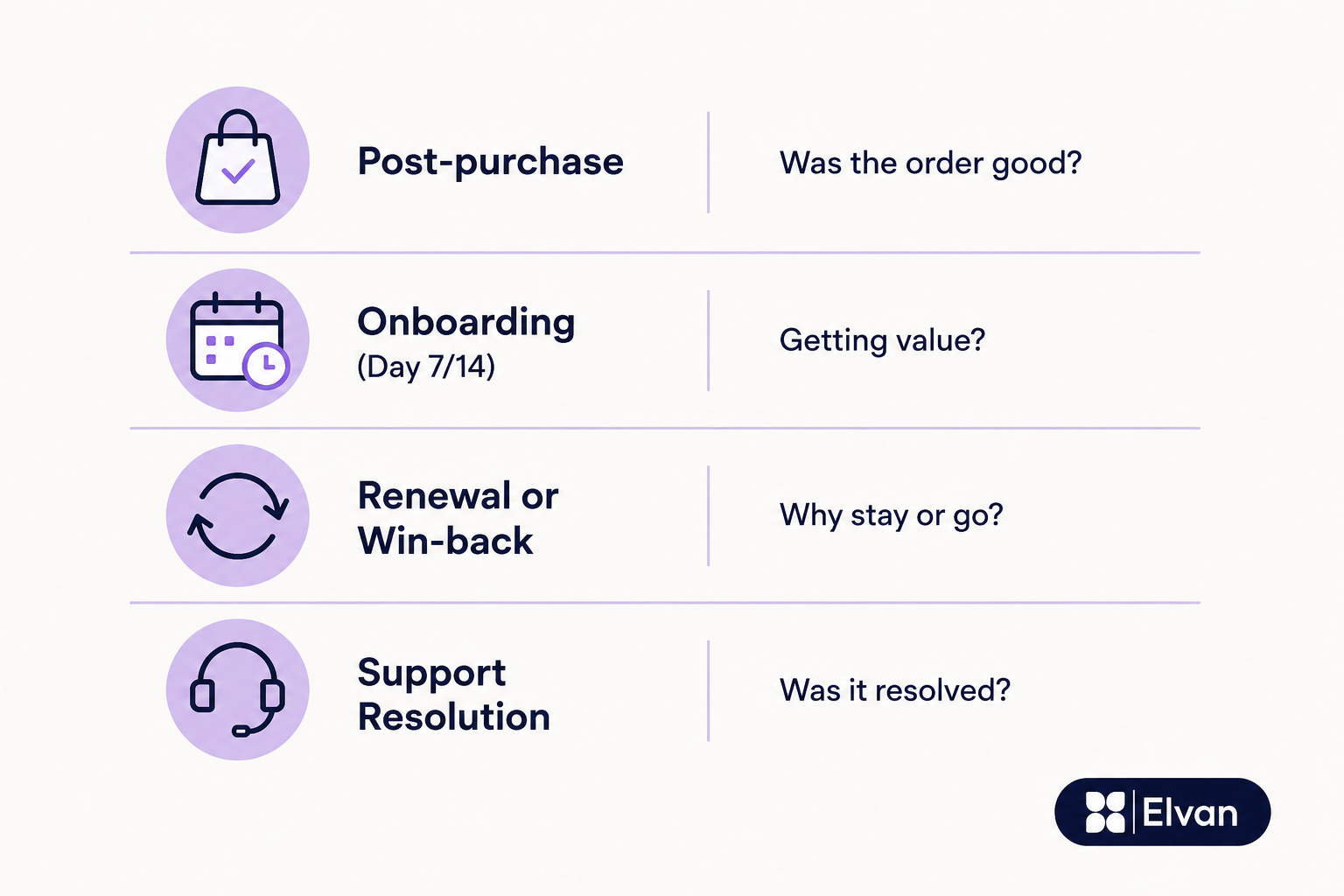
Post-purchase or order confirmation tells you whether the transaction itself met expectations. An onboarding sequence, day 7 or day 14, tells you whether the first real use of the product landed. A renewal or win-back sequence tells you whether the relationship is worth keeping, right when it's being decided. A support resolution follow-up tells you whether the fix actually solved the problem.
Pick the automation closest to the moment you're trying to measure. Don't build a new campaign just to house the survey.
What you get on the Elvan side
Once responses come in, Elvan scores NPS automatically and routes detractors separately from promoters, so a 3-out-of-10 response doesn't sit in the same pile as a 9. AI Insights turns the open-text comments into a plain-English summary, the kind you can put in front of a CS lead without asking them to read forty rows of raw text first.
Elvan is free for up to 100 responses a month, and $49/month on the Pro plan if your Mailchimp list is large enough to need more. Setup takes about the 10 minutes described above, most of which is picking the right automation, not configuring anything technical.
If you're already sending campaigns and automations through Mailchimp, the fastest way to add a working NPS program is to stop building a separate one.

Neil Roy
Content Strategist
Neil is a content strategist specializing in CSAT and NPS surveys, creating educational content that helps businesses understand and improve customer satisfaction. With 10+ years of experience, Neil writes insightful articles and develops content strategies that translate complex survey concepts into accessible, actionable guidance for organizations looking to enhance their customer relationships and business outcomes.