

How to Get NPS Data Into Salesforce Without a Developer
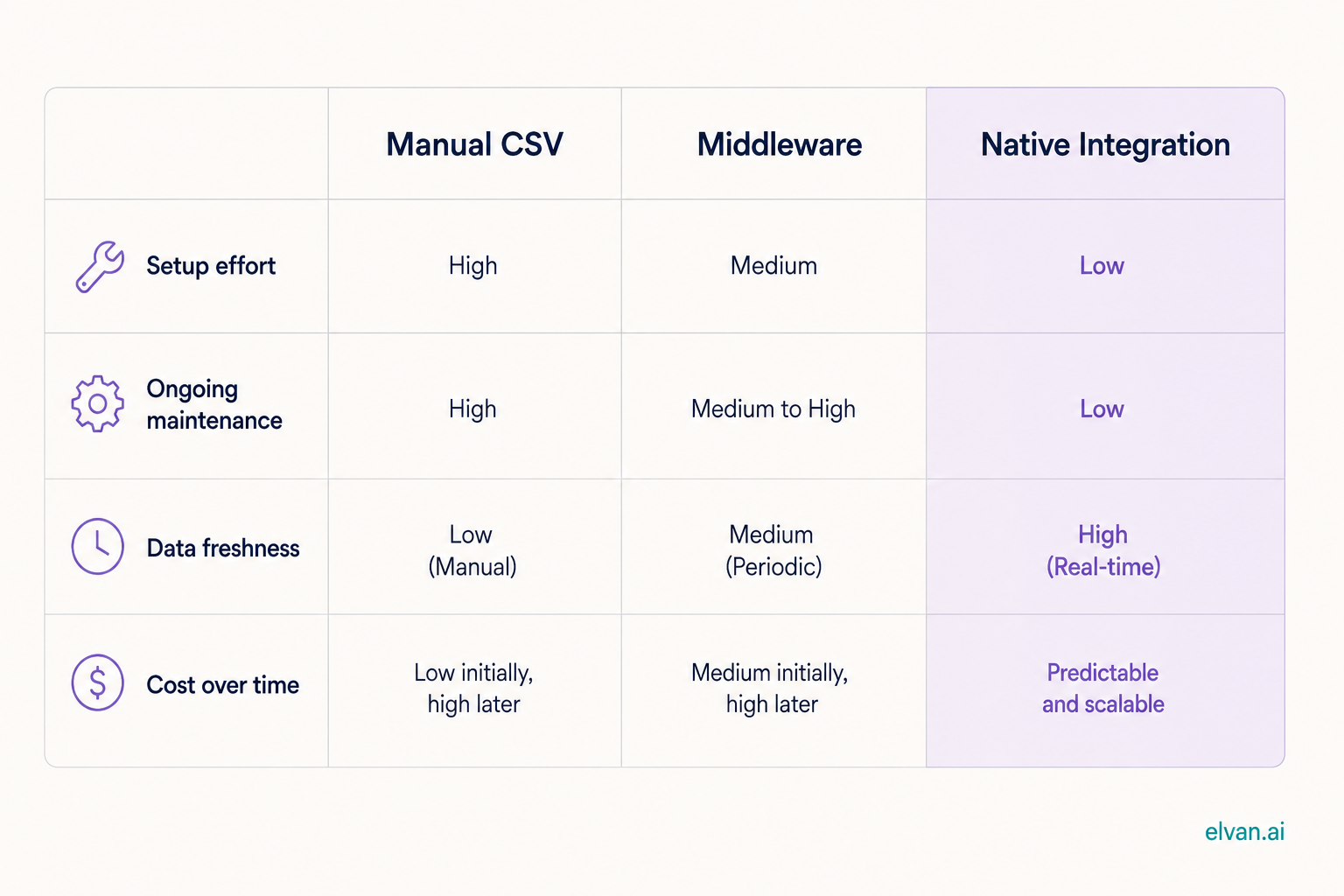
You get NPS data into Salesforce one of three ways: a native integration from your survey tool that writes scores to contact and account records automatically, a middleware connection through something like Zapier, or a manual CSV import. The native route is the only one worth building a program on, and with the right tool it takes about 20 minutes and zero developer time.
This article walks through why the data belongs in Salesforce in the first place, what each of the three routes actually involves, and how to set up the native path.
Why NPS data outside Salesforce is dead data
Most teams that run NPS keep the results in the survey tool. The CX lead looks at the dashboard, screenshots a chart for the monthly deck, and that is the entire life of the data.
Meanwhile the people who could act on individual scores never see them. An account executive walks into a renewal call not knowing the champion scored a 3 last month. Customer success builds a QBR for an account where two users just became detractors, and the deck says everything is fine. Sales works an expansion deal inside an account that is quietly unhappy.
The pattern is always the same: survey data describes the relationship, Salesforce is where the relationship is managed, and the two never meet.
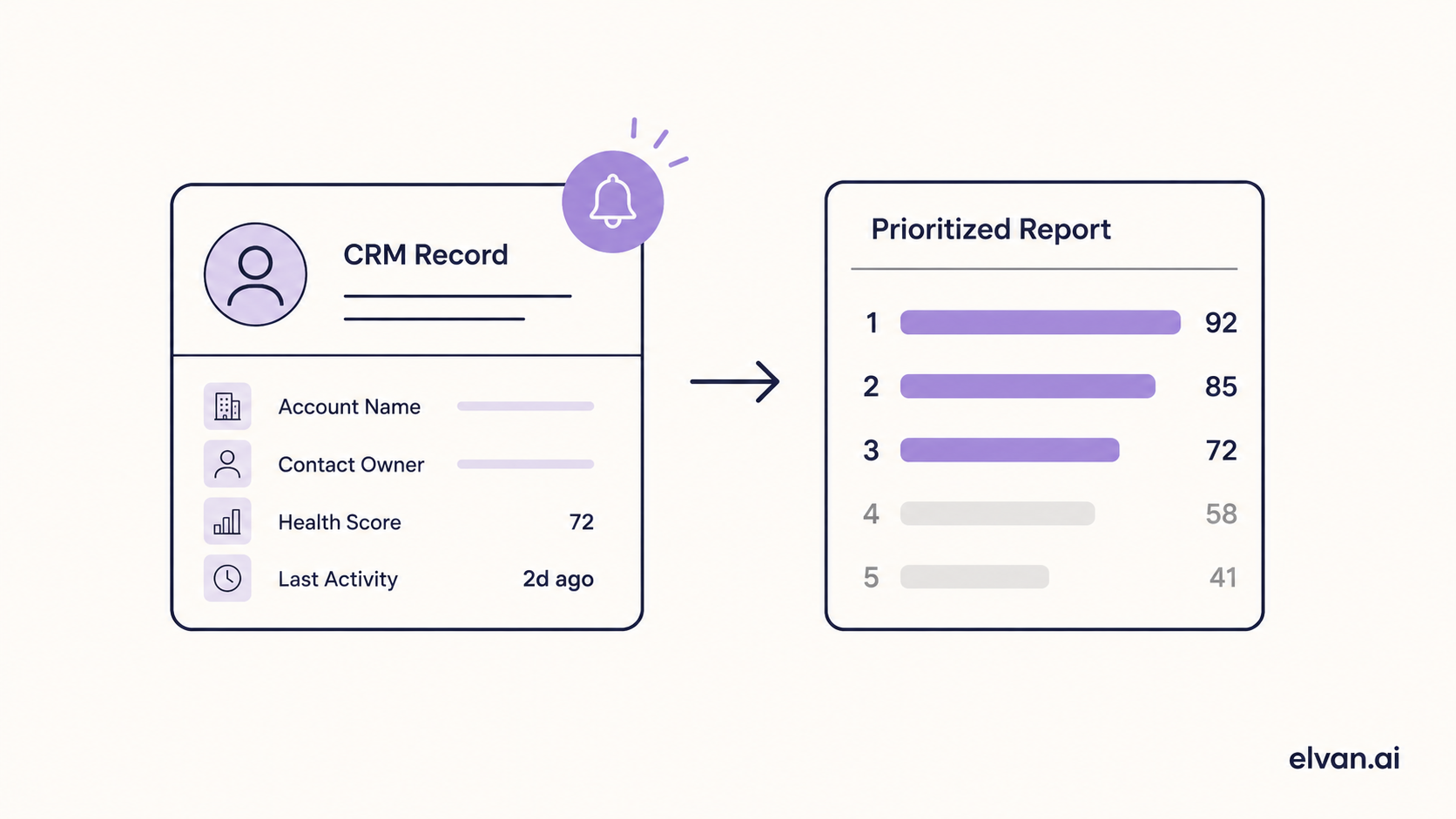
Put the score on the record and different things become possible. Renewal forecasting that weights sentiment, not just usage. Automated alerts when a high-value account turns detractor. Win-back workflows triggered by a score instead of a cancellation. Reports that correlate NPS with pipeline, churn, and expansion, which is the analysis every board asks for and almost nobody can produce.
The three routes, honestly compared
Manual CSV import. Export responses from your survey tool, map columns to Salesforce fields, import. It works exactly once. By the second month it is a chore someone skips, the data goes stale, and stale sentiment data is worse than none because people trust it. Use this only for a one-time historical backfill.
Middleware (Zapier and similar). A zap catches each new survey response and writes it to Salesforce. Better than manual, and fine for small volume. The weaknesses show at scale: per-task pricing grows with response volume, field mapping breaks silently when someone renames a field, and matching responses to the right contact record gets fragile when emails do not match exactly. You also end up maintaining the pipe yourself, which is developer time by another name.
Native integration. The survey tool connects to Salesforce directly, authenticates once, and writes each response to the matching contact and account as it arrives. No middleware bill, no zap maintenance, no import ritual. Scores appear on records in real time and flow into standard Salesforce reports and automation like any other field.
Setting up the native path with Elvan
Elvan's native Salesforce integration is available on demand and the setup runs in four steps, all inside the two apps. No API keys to generate, no code.
Step 1: Connect the accounts. From Elvan's integrations settings, choose Salesforce and authenticate with a Salesforce admin login through the standard OAuth flow. This is the only step that needs admin permissions.
Step 2: Map the fields. Choose where scores land. The common setup writes the latest NPS score and response date to the Contact, and a rolled-up account-level score to the Account. If you also collect CSAT or CES through Elvan, those map to their own fields the same way.
Step 3: Choose the trigger. Decide what fires the survey. This is the step that determines whether your data is any good. Surveys triggered by real events, onboarding completed, a support ticket closed, ninety days before renewal, produce responses tied to a moment. Batch blasts produce a biased sample of your most engaged users. Elvan supports both, but the event-based route is the reason to do this at all.
Step 4: Test with one record. Send yourself a survey, answer it, and watch the score appear on your own contact record. Once it lands, the pipe is live for everyone.
From an empty state to live scores on records, this is a 20-minute job for a RevOps manager or a CX lead. No developer ticket, no sprint planning, no waiting.
What to build once the data is flowing
The integration is plumbing. The value is in what Salesforce lets you do once sentiment is a field like any other.
Start with one report and one alert. The report: accounts up for renewal in the next two quarters, sorted by account-level NPS ascending. That single view tells your CS team where to spend the month. The alert: a Salesforce workflow that notifies the account owner whenever a contact at an account above a revenue threshold submits a detractor score. Those two artifacts alone justify the setup.
From there, teams typically add NPS to the renewal forecast fields, gate expansion sequences on promoter status, and route detractor comments into case creation. All standard Salesforce automation, all possible only because the score lives on the record.
The cost question
Enterprise survey platforms treat Salesforce integration as an enterprise-tier feature, which puts it behind sales calls and annual contracts starting in the hundreds per month. Elvan is $49 a month on Pro, with a free tier of 100 responses a month to test the whole flow first, and the Salesforce integration is available on demand rather than locked behind a pricing wall.
If your survey scores are currently trapped in a dashboard nobody opens, the fix is a 20-minute setup away.

Neil Roy
Content Strategist
Neil is a content strategist specializing in CSAT and NPS surveys, creating educational content that helps businesses understand and improve customer satisfaction. With 10+ years of experience, Neil writes insightful articles and develops content strategies that translate complex survey concepts into accessible, actionable guidance for organizations looking to enhance their customer relationships and business outcomes.